

Product health: find and fix disapproved products
Under Product health you'll find the problems Google reports in your product data — grouped by issue and sorted by the number of affected products, highest first. That way you see first what has the widest impact.
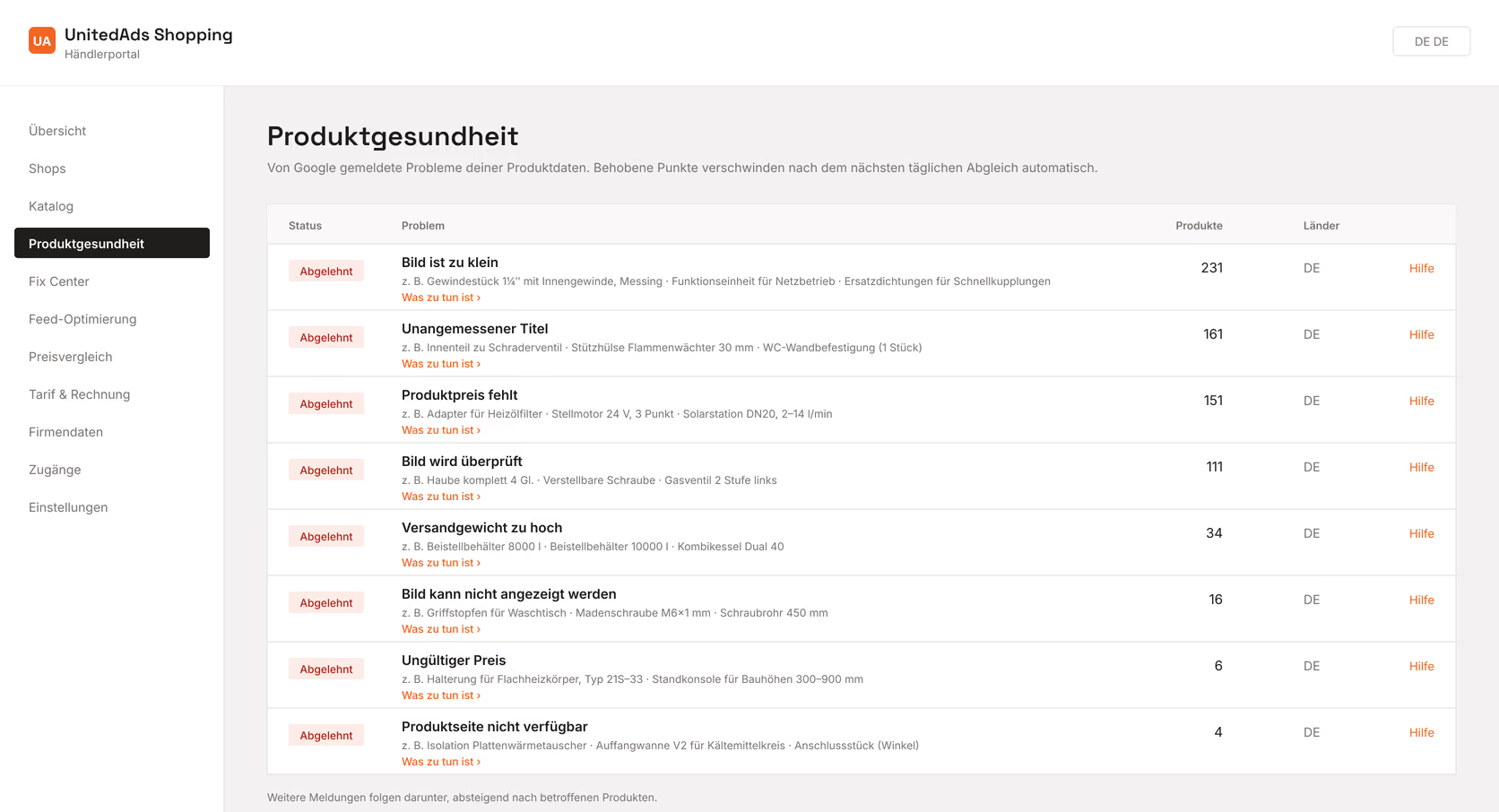
For each issue you see example products and, under What to do, what Google means by it. Fixed items disappear on their own after the next daily sync — you don't need to tick anything off.
In which order to tackle them
- 1Issues with many affected products first, but keep an eye on their share of revenue: 200 spare parts weigh less than 20 bestsellers.
- 2Anything that can be solved in one place in your shop system before individual cases.
- 3Whatever can be derived from existing data, the Fix Center can handle for you.