
Speed up your summer sale: better product data means faster sell-through
A practical guide for merchants: summer promotions only work once price, availability, delivery and returns line up in the feed.
Summer promotions only work once price, availability, delivery and returns fit together precisely in the product feed.
This guide covers the key feed attributes, shows how to close data gaps, and connects your online business with your physical stores.
Clearance isn't just about price
In a summer clearance, clarity matters just as much as price. Customers check the offer, delivery time and risk at first glance. If this information is missing, users abandon the purchase.
Your feed needs to make reasons to buy visible immediately. For clearance sales, sale_price, promotions, delivery time and return terms matter most. To make your sale budget go further, a Google CSS partner pays off: you pay 20% less per click or bid 25% more with the same budget.
1. Mark the sale price clearly
The sale_price attribute shows the price difference directly in the ad. This transparency noticeably speeds up the purchase decision in clearance sales.
Effect on the clearance funnel: clear sale_price information makes comparison easier and increases clicks and purchases.
2. Use promotions as a call to action
Merchant Promotions highlight offers with extra callouts. Terms and benefits must match exactly across feed, ad and shop.
Effect on the clearance funnel: consistent promotions create buying incentives and drive conversions.
3. Make delivery speed visible
Unclear shipping costs weaken good offers. The shipping attribute highlights fast or free delivery and prevents drop-off.
Effect on the clearance funnel: reliable shipping data reduces drop-off.
4. Communicate return terms transparently
The return_policy attribute clarifies return rights for reduced items immediately. Clear terms build trust and lower the barrier to buying.
Effect on the clearance funnel: transparent returns reduce risk and increase orders.
From analysis to scale: feed audits in CSS Center
Merchants need to close data gaps across their whole range in a targeted way. A clear four-step process helps.
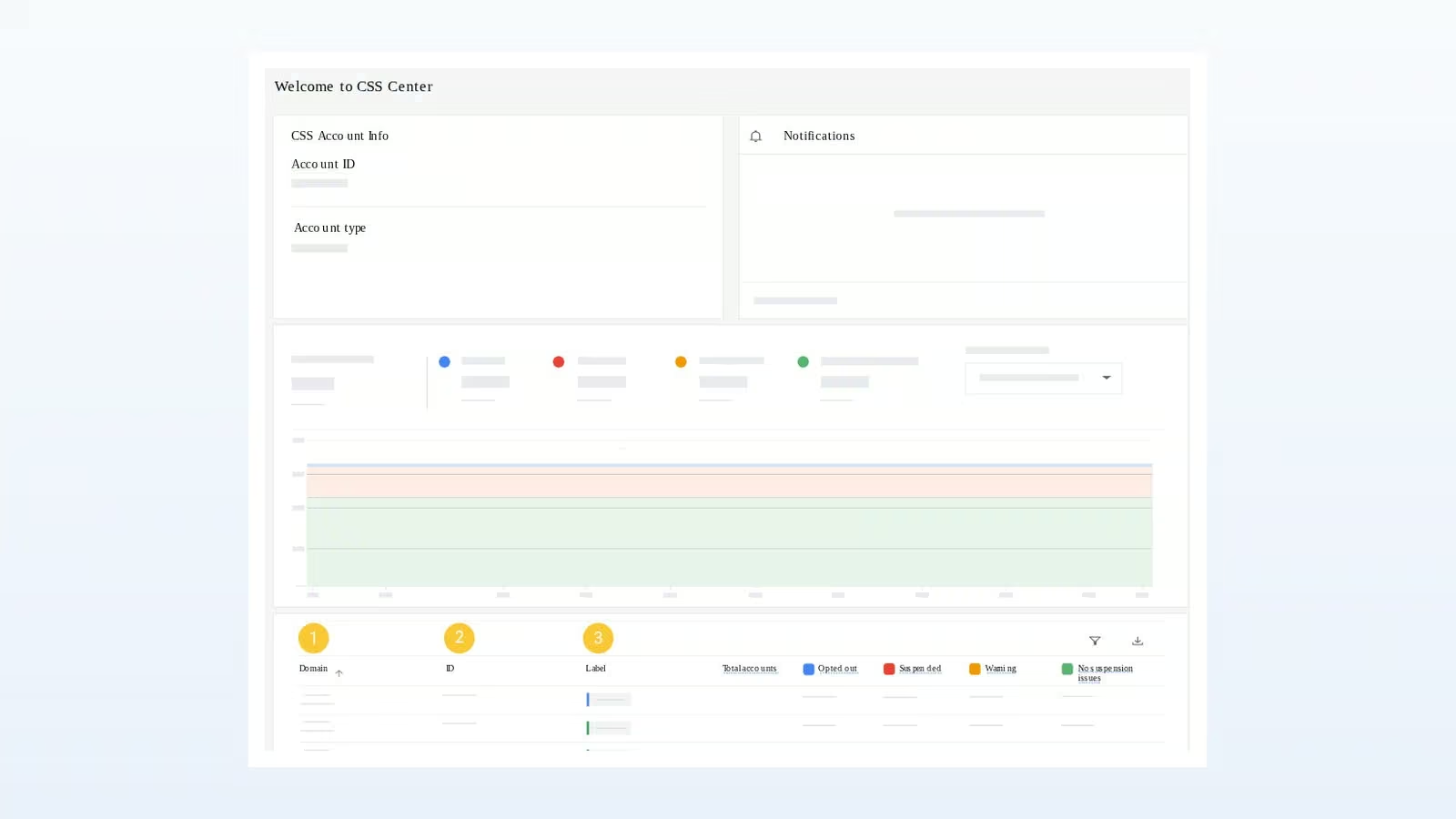
- 1. Start centrally: check your portfolio in CSS Center and prioritise accounts.
- 2. Request MEX: use the Merchant Excellence Report and assess account status in a structured way.
- 3. Assess attributes: check the Agentic Attributes scores in the report and add missing characteristics.
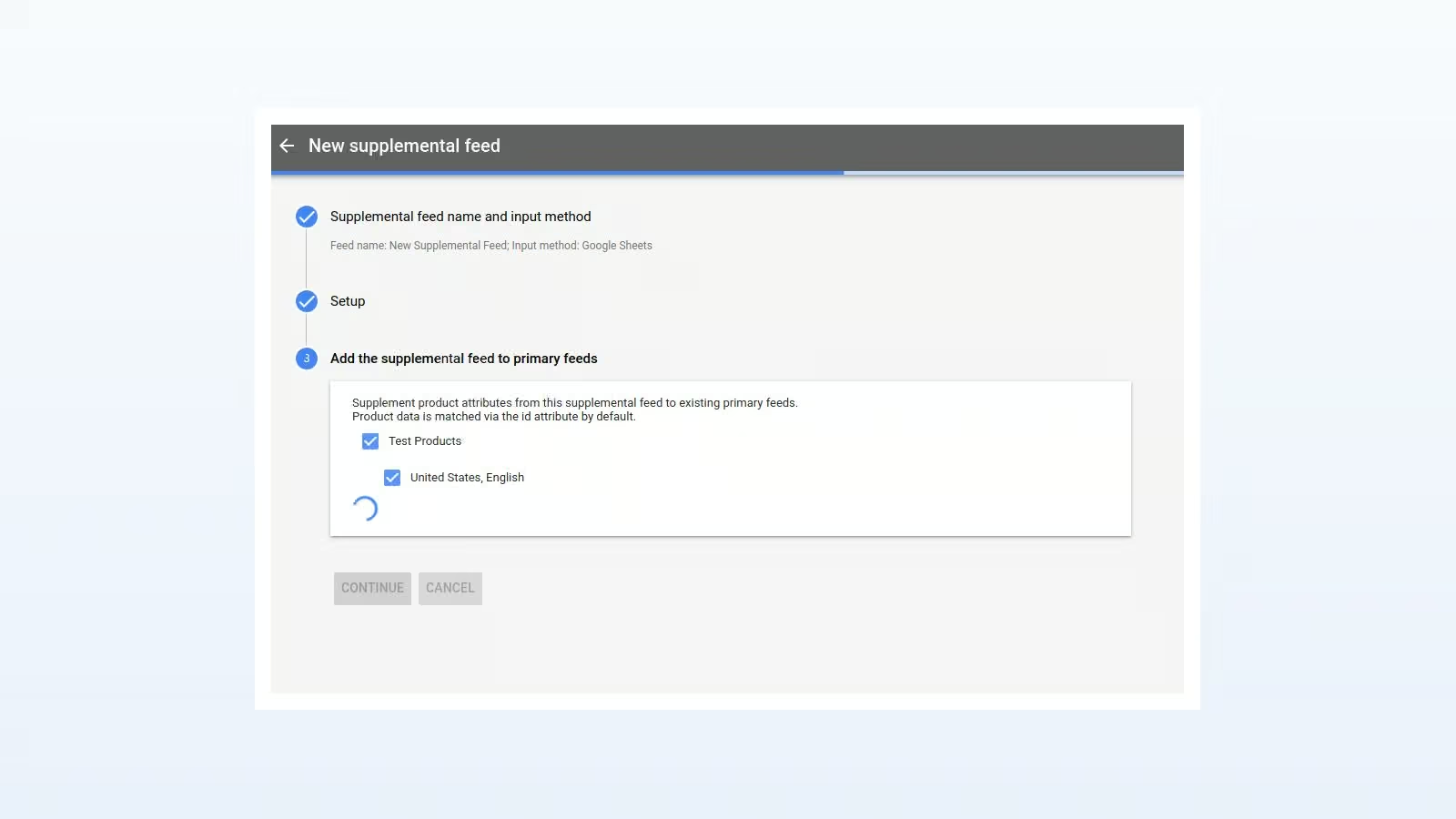
- 4. Enrich data: add missing information directly via supplemental feeds.
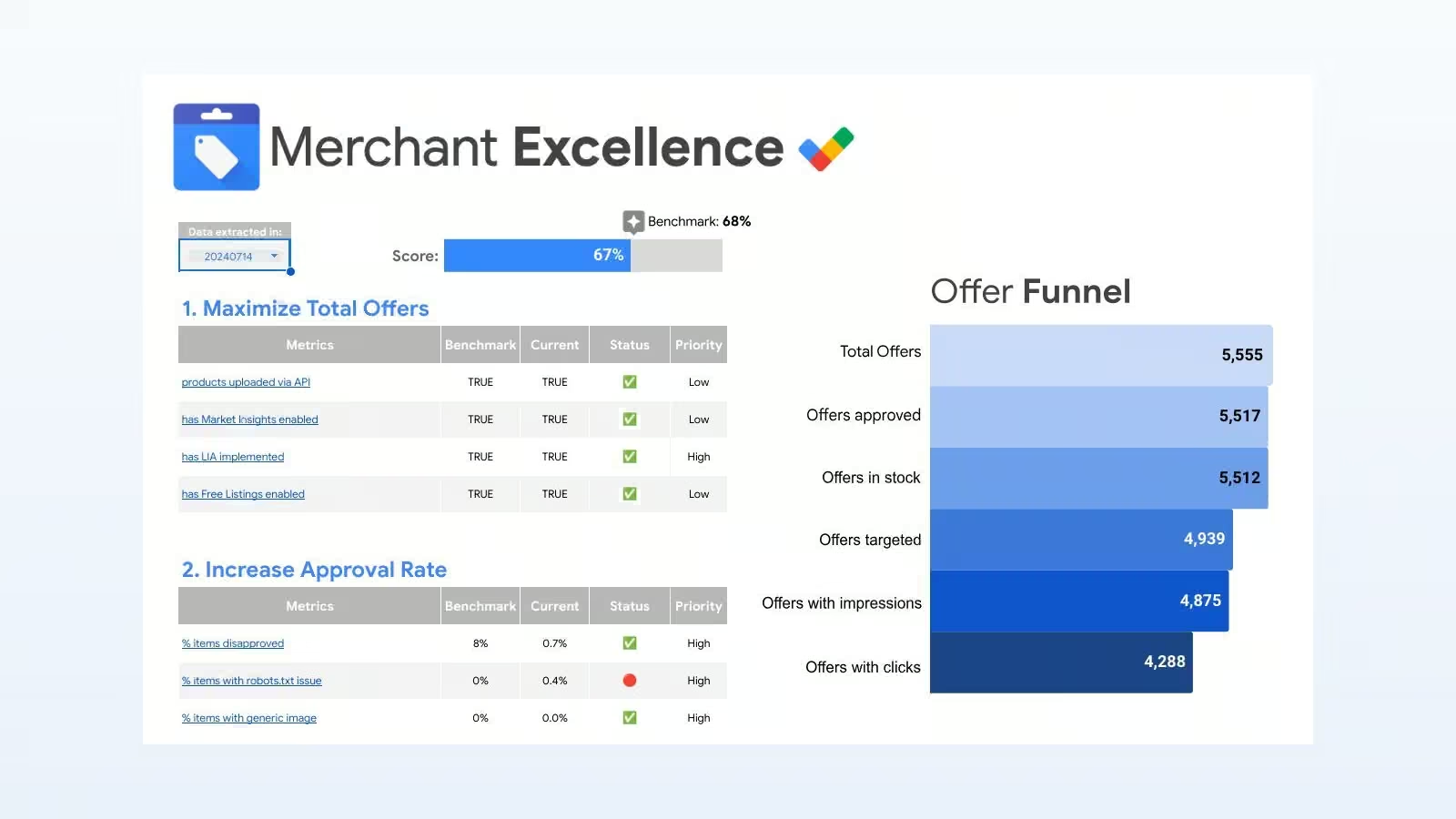
This process connects analysis with execution. Teams first choose the accounts, products and attributes with the biggest leverage. Supplemental feeds then add further data in a controlled, scalable way.
Omnichannel: clear excess stock where it actually is
Retailers with physical stores need to optimise beyond the online shop. Stock often sits at specific locations. Campaign logic captures the value of a store visit and directs demand deliberately toward key regions or audiences.
Link your Google Business Profile
First connect your Google Business Profile to Google Ads, then verify all physical locations. A clean data foundation brings together local signals, stock targets and campaign control.
Derive store visit value from your own store data
In-store conversion rate and average order value across your stores give you a store visit value as a starting point for bid management.
The more precise your own store data, the more precisely you can steer by the actual value of a visit.
Use Conversion Value Rules deliberately
With Conversion Value Rules, you weight conversion values at auction time by your own criteria, for example by location for regions with high remaining stock, or by audience for loyalty members.
That turns the sale campaign into a controllable omnichannel instrument: budget flows to wherever extra footfall drives the highest sell-through.
Practical checklist for your next clearance cycle
- Are sale_price and the regular price correctly set for all reduced items?
- Are promotions clear, valid, and consistent between the ad and the landing page?
- Are delivery costs and delivery times fully captured for all options?
- Are return terms for reduced items clear and transparent?
- Which accounts or ranges show the biggest data gaps in the audit?
- Which data can be added quickly via supplemental feeds?
- Are your Business Profile, Google Ads and all locations linked?
- Is store visit value derived from your own store data, and is the weighting by location and audience traceable?
Relevance beats discount alone
A successful summer sale rests on clear signals: sale prices and promotions spark interest, fast delivery and easy returns build trust.
A feed audit uncovers gaps, supplemental feeds close them. Location data and Conversion Value Rules direct demand straight to your fullest stock.
- Free Google CSS migration
- Full visibility in Google Shopping
- 20% lower click prices
- Visibility in free listings
- 21 EU markets included
- Premium email support
- Cancel anytime