

More Shelf Space on Google Shopping: Two Spots in the Carousel, Without Bidding Against Yourself
If you run an e-commerce store in Europe, you already know how fiercely competitive the Google Shopping carousel can be. Fighting for just one of those top visible spots takes a highly optimized feed and aggressive bidding.
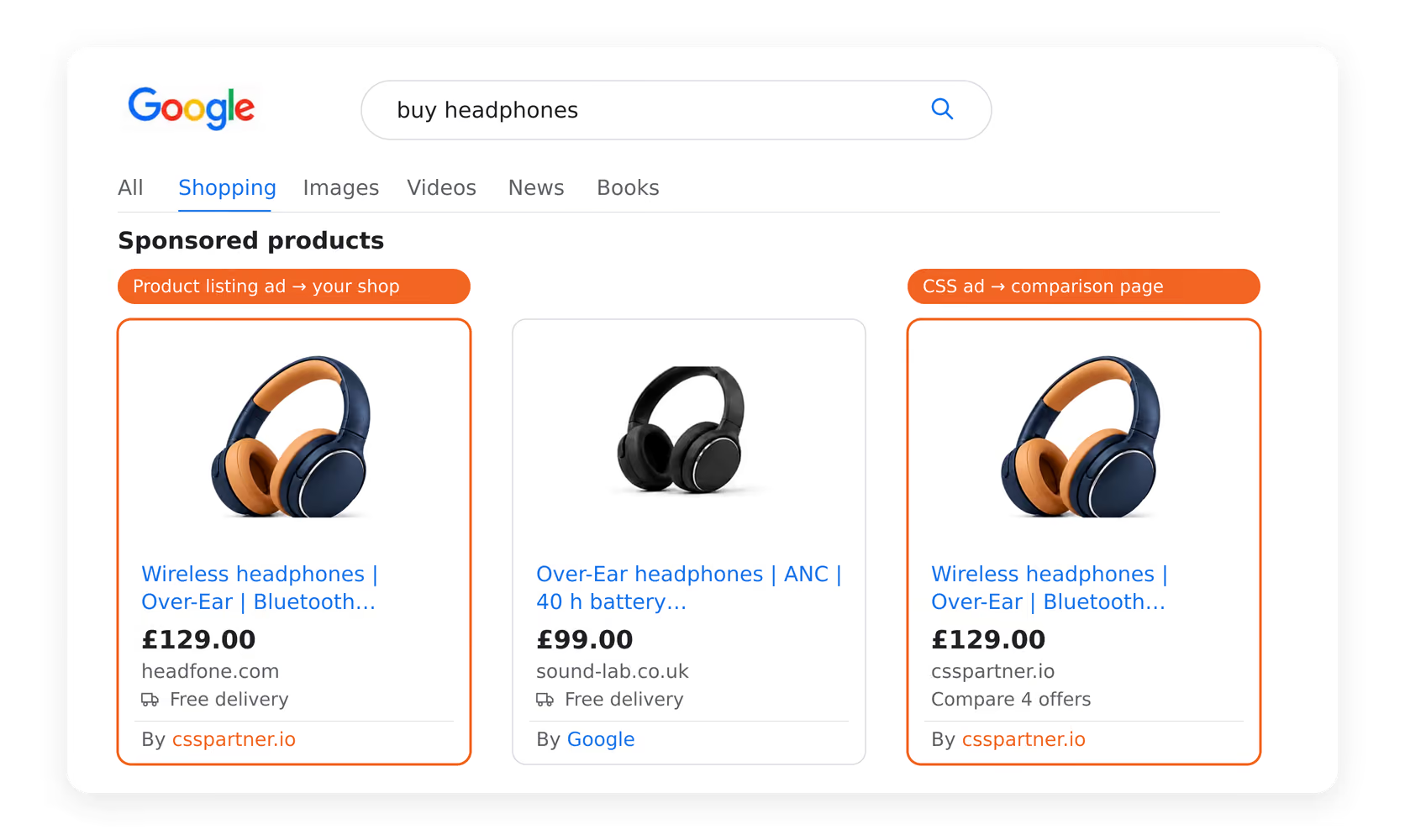
But what if you didn't have to settle for one spot? That is exactly what the Dual-Placement strategy promises: standard ads and CSS ads running at the same time.
One point decides whether it works. Google strictly prevents the exact same product offer from one merchant being served twice in the same Shopping auction. If you or an external CSS partner submit the same SKU with the same destination link, Google's automatic deduplication kicks in and only the strongest bid for that offer is shown.
Here are the two mechanisms that still get you two spots, why you are not bidding against yourself, and how to set it up for your store.
Two Routes Into the Carousel
Because of Google's rules in Europe, there are two ways your products can appear in the Shopping carousel:
- 1Merchant Product Listing ads (single product): The traditional way. A shopper clicks your ad and goes straight to your product page.
- 2CSS Product Listing ads (comparison page ads): These run through a Comparison Shopping Service (CSS) partner. The click leads to a product page on the CSS website where several offers are compared.
Google describes these ads like this: they appear next to Merchant Product Listing ads in the existing carousel, and CSSs compete with merchants there on a non-discriminatory basis (Google: CSS Product Listing ads).
A Dual-Placement strategy means both ad types run at the same time. In supermarket terms: instead of a single facing of your cereal box on the shelf, there are two side by side.
The Limit: Google Deduplicates Identical Offers
Simply setting up two identical ads for the exact same product does not double your visibility. Google's Merchant Center Help puts it plainly: if Google identifies that several CSSs have uploaded the same product from the same merchant, it will only show it once in the ad unit (Google: advertising with Comparison Shopping Services).
Same SKU, same destination link, two accounts: that gets you one ad, not two. Which one shows is decided by the strongest bid for that offer.
The same page also contains the sentence the whole strategy rests on: different products from the same merchant can appear via several CSSs in the same unit. Google's own example is a search for running shoes where one model runs through CSS A and another through CSS B.
Two Exceptions That Make Dual Presence Work
1. Separation by ad format
The two formats are different ad concepts with different landing pages: the single-product ad leads into your shop, the CSS ad to the CSS comparison page. Google serves them next to each other in the same carousel, and deduplication applies to the same offer from the same merchant uploaded through several CSSs.
2. Strategic feed and variant splitting
To take more than one spot with classic product ads without being blocked by deduplication, you split the feed structurally:
| Method | How it works | Result in the carousel |
|---|---|---|
| Identical single SKU | Same product and same URL through two accounts | Deduplicated. Only one ad appears, the one with the strongest bid. |
| Bundle instead of single product | Product A as a single item in the merchant feed, product A plus accessory as a bundle through the CSS | Two different SKUs, both can appear at the same time. |
| Variant splitting | Colour or size X through the main account, colour or size Y through the CSS account | Several spots on generic searches such as "men's running shoes". |
The Big Myth: "Won't I just bid against myself and raise my costs?"
This is the number one fear merchants have — and it is unfounded.
Google puts it this way: a merchant will never be second-priced against itself in the auction for any offer, irrespective of the number, or identity, of the CSSs used by the merchant (Google: advertising with Comparison Shopping Services).
So the price is set by the next highest bid from another merchant, not by your own second bid. You never artificially inflate your own Cost-Per-Click (CPC).
How to Execute This Strategy: A 3-Step Action Plan
Here is how to set this up without burning through your ad budget.
Step 1: Find a CSS partner (or ask your agency)
To run the second set of ads, you need a CSS partner. Some specialized e-commerce agencies run their own white-labeled CSS, or you can work directly with an established CSS. Ask your agency: "Can we run a CSS ad campaign alongside our standard Google Shopping campaigns?"
Step 2: Only pick your "VIP" products — and plan the split
Do not double-place your entire 10,000-product catalog. It spreads your budget too thin and makes management a nightmare. Take your top 10 to 20 percent and decide for each what the second ad runs on: the CSS format, a variant, or a bundle.
- Your highest-margin products, where you can afford the extra clicks.
- Your proven bestsellers, where conversion rates are already high.
- Highly competitive generic searches, where variant splitting can win several spots.
Step 3: Use the "High-Low" bidding tactic
Don't disrupt what is already working. If your standard Google Shopping campaigns are performing well, leave those bids exactly as they are.
Launch the CSS campaigns for the same products with bids 10 to 15 percent below your standard campaigns. Your main ad keeps doing the heavy lifting while the CSS ad picks up additional placements. That range is a starting point from practice, not a Google rule: after two to four weeks, check what your click costs and orders say.
The Bottom Line
Two identical ads for the same product won't win you a second spot. A hybrid strategy that works needs either the combination of a single-product ad and a CSS comparison page, or deliberate splitting of variants and bundles in the feed.
- Free Google CSS migration
- Full visibility in Google Shopping
- 20% lower click prices
- Visibility in free listings
- 21 EU markets included
- Premium email support
- Cancel anytime