
Performance Max vs. Standard Shopping: which campaign type gets more out of Google CSS
The CSS lowers your click prices regardless of campaign type. Your campaign structure decides how much of that saving actually stays with you.
Many merchants wonder whether they should switch entirely to Performance Max. Often both campaign types run side by side, without a clear decision.
The CPC advantage from a comparison shopping service (CSS) applies equally to both campaign types. The campaign type only decides how much control you have over bids, search terms and delivery.
This guide shows the strengths of both campaign types, the key metrics, and a four-to-six-week test design.
What both campaign types actually do
Performance Max: reach at the cost of insight
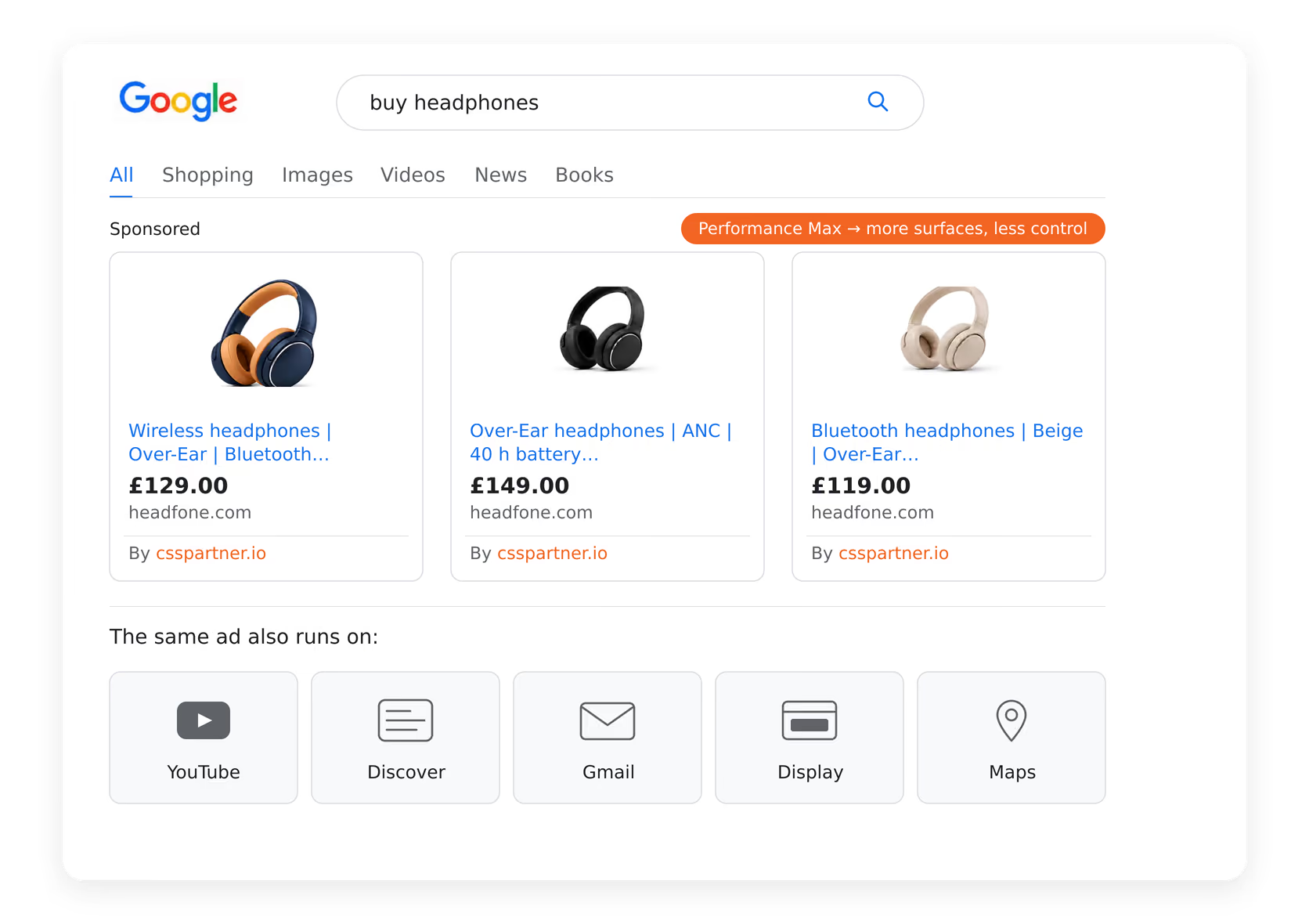
Performance Max serves Shopping, Search, Display, YouTube, Discover, Gmail and Maps. With enough conversion data, Google automatically optimises how your budget is distributed.
With Performance Max, you don't get detailed search term lists or bids per product group. You steer weak segments indirectly, through feeds, exclusions and targets.
Standard Shopping: less reach, more control
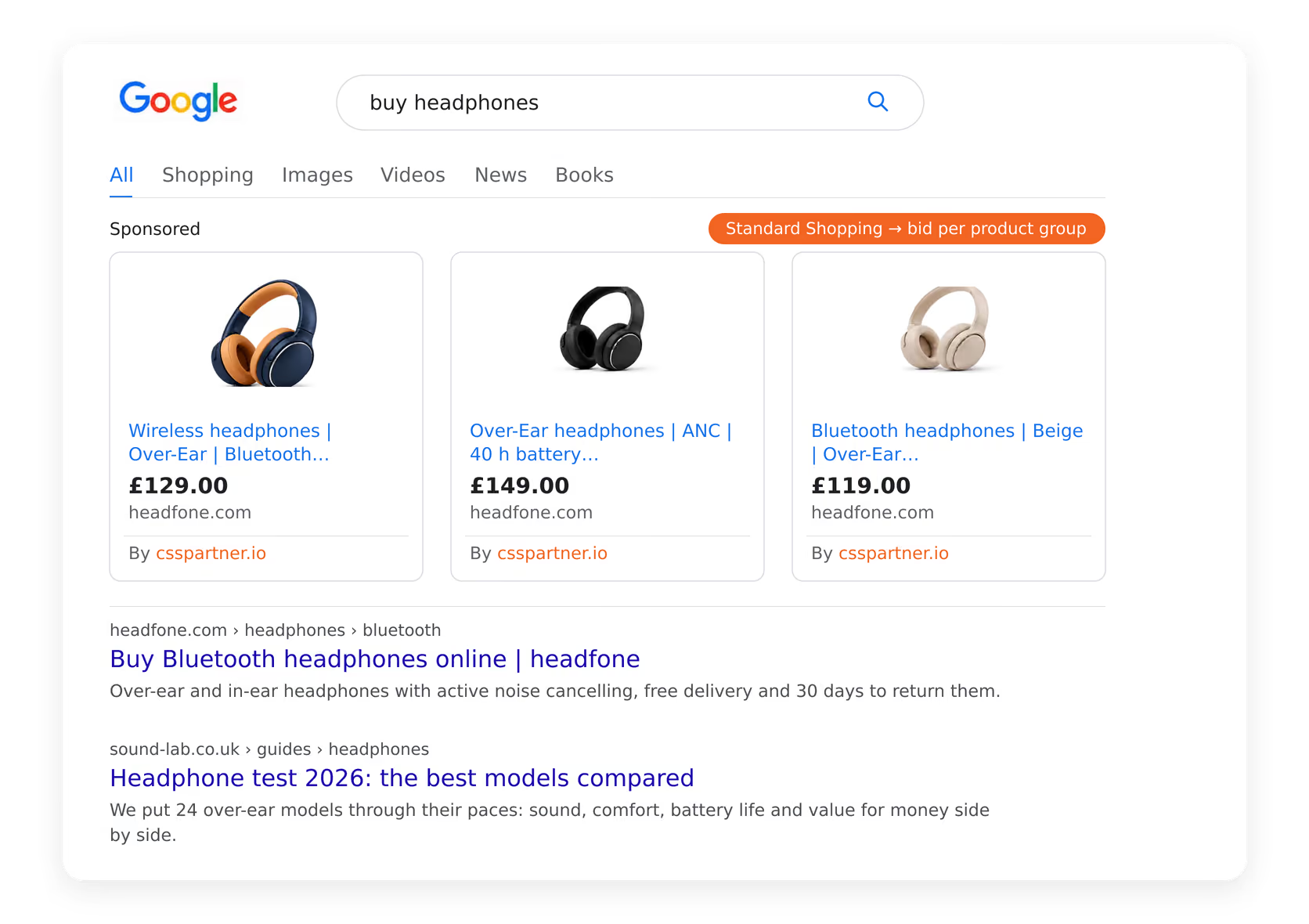
Standard Shopping campaigns run in the Shopping inventory and in Search. You have full control over product groups, bids, search terms, negative keywords and margins.
These six account characteristics decide the campaign type
Check your account against the six characteristics in the table. If four of them point the same way, you have your answer.
| Feature | Your situation | Recommendation |
|---|---|---|
| Catalogue size | Under 500 products | Standard Shopping |
| Catalogue size | Several thousand SKUs | Performance Max |
| Conversion data | Under 30 conversions a month | Standard Shopping |
| Conversion data | Over 50 conversions per campaign per month | Performance Max |
| Margins | Vary widely by category | Standard Shopping or hybrid |
| Brand traffic | High share, needs to be assessed separately | Standard Shopping |
| New-customer goal | Reach beyond Shopping is wanted | Performance Max |
| Reporting needs | Search terms and bids need to be traceable | Standard Shopping |
A test stays cost-neutral: with a fixed-price CSS, you pay £17 a month regardless of campaign type, so only performance counts.
When Performance Max wins
With a broad catalogue and over 50 conversions a month, the automation finds untapped potential in niche categories.
- Broad catalogues: from a few thousand SKUs, manually maintaining bids per product group is barely worth it any more.
- Solid data foundation: enough conversions give Smart Bidding reliable decisions to work from.
- Total-revenue goal: fast growth matters more than precisely separating traffic types.
- Reach beyond Shopping: Discover, YouTube and Display unlock additional demand.
- Small team: one central channel and clear targets save on day-to-day maintenance.
The data feed drives Performance Max. Since there are no product-group bids, success comes down to titles, images, categories and custom labels.
When Standard Shopping wins
With only 20 conversions a month, the algorithm learns too slowly. If your margins range between 8% and 40%, you need separate bids for profitable growth.
- Few products: 200 to 500 SKUs can be managed precisely through product groups.
- Thin data: under 30 conversions a month, manual control works more reliably.
- Large margin differences: individual bids per category protect your margins reliably.
- Brand traffic: separate campaigns and their own budgets give you a clean assessment.
- Accountability: you can always show management and clients exactly how the budget is split.
How to run both campaign types in parallel without them bidding against each other
Most medium and large accounts use both types. Performance Max handles the broad catalogue, and Standard Shopping handles more tightly managed areas. Keep the two campaigns cleanly separated via the feed to avoid overlap.
- Custom labels as the boundary: use one label per channel, such as channel=pmax and channel=standard. Assign exactly one value to each product.
- Feed filters in both campaigns: In PMax, filter each asset group by the matching label. Standard Shopping uses the corresponding product groups.
- No overlap on brand: bundle all brand searches into a single campaign.
- Separate budgets: assign fixed budgets. Otherwise spend shifts unnoticed between the channels.
- Consistent naming scheme: name the channel, country and catalogue segment directly in the campaign name so things stay clear over time.
Without separation, Performance Max usually wins the auction because it uses more signals. On top of that, the priority settings of Shopping campaigns no longer reliably take precedence over PMax.
How to test both campaign types in six steps
- 1Set the metric: measure revenue and gross profit per channel. A low click price is little use if the contribution margin is falling.
- 2Define the test scope: choose a category with stable volume away from peaks and seasonal effects.
- 3Prepare the feed: set custom labels, fix disapprovals and check product titles. Clean data ensures comparable test results.
- 4Fix the budgets: keep the same budgets for both channels stable for the whole test period.
- 5Run for four to six weeks: let the test run and exclude the first ten to fourteen days as a learning phase.
- 6Evaluate and decide: check revenue, gross profit, impression share and new-customer share per channel before taking further steps.
The six most common mistakes in the campaign mix
- Both campaign types on the same product: separate products in the feed to prevent internal competition and unusable reports.
- Judging too early: after ten days, a new channel is only showing its typical ramp-up curve.
- Looking only at ROAS: gross profit decides the outcome, not the metric on its own.
- Neglecting the feed: in Performance Max, the feed drives delivery. Weak titles are hard to compensate for afterwards.
- Not separating brand traffic: brand searches inside a PMax campaign distort your real new-customer growth.
- Trying to fix feed problems by switching campaigns: faulty data and missing attributes persist even after switching campaign type.
The campaign type determines control and reach; your CSS partner determines the click price: 20% CPC savings or 25% more bidding power, whichever campaign type suits your catalogue.
Frequently asked questions about Performance Max and Standard Shopping
Does the CSS discount also apply in Performance Max?
Can I run both campaign types at the same time?
How many conversions does Performance Max need?
What happens if the same product is in both campaigns?
Do I see search terms in Performance Max?
Can I switch back from Performance Max to Standard Shopping?
Does switching campaign type cost more with the CSS?
How long should the test run?
- Free Google CSS migration
- Full visibility in Google Shopping
- 20% lower click prices
- Visibility in free listings
- 21 EU markets included
- Premium email support
- Cancel anytime