

How to use lifestyle_image_link for lifestyle images in Google Merchant Center
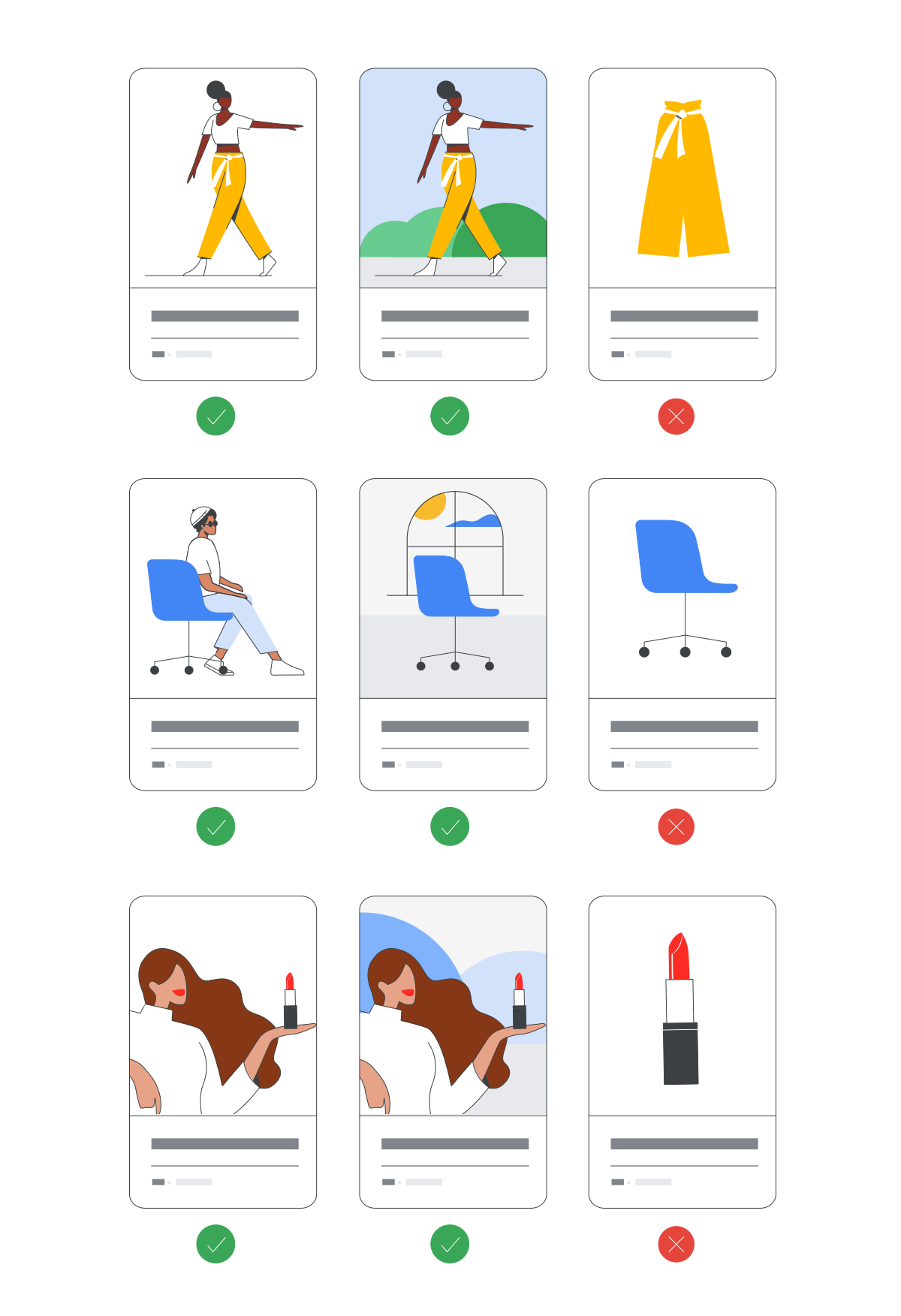
Customers want to see products in a real setting. The Google Merchant Center attribute [lifestyle_image_link] shows items in everyday use, like furniture in a living room or clothing on a model.
Learn how lifestyle images can make your products stand out in free listings and reach more buyers. For your paid Shopping ads, there's more: through a Google CSS partner, you pay 20% less per click.
When should you use this attribute?
Use this attribute for products people buy on emotion. It's optional for every product, but valuable.
lifestyle_image_link places your product in a real usage context.
- Clothing worn by a model.
- Furniture styled in a tastefully decorated room.
- Several products presented together as a coherent set.
- Products shown against coloured backgrounds or in everyday situations.
Getting the format right: technical basics
Keep these technical requirements in mind so Google can process your data:
- Type: The URL must start with http or https, conform to RFC 3986, and contain only ASCII characters.
- Length: 1 to 2,000 characters.
- Allowed formats: Allowed formats are GIF (.gif), JPEG (.jpg/.jpeg), PNG (.png), BMP (.bmp) and TIFF (.tif/.tiff).
- Repeated field: No – only one lifestyle URL per product.
Code examples for your feed
- Text (TSV): https://www.deineseite.de/bild1.jpg
- XML (feeds): <g:lifestyle_image_link>https://www.deineseite.de/bild1.jpg</g:lifestyle_image_link>
- Content API v2 (JSON): "lifestyleImageLink": "https://www.deineseite.de/bild1.jpg"
URL guidelines: keeping the Google bot on track
Google only shows images after a successful crawl. Follow these rules in Merchant Center:
- Use stable URLs: Only change image URLs for new images. Timestamps or dynamic parameters force constant re-checks by Google and put load on your servers.
- Escape special characters: Replace symbols and spaces with URL encoding, such as %26 for & or %2C for a comma.
- Check robots.txt: Allow the Google bot access to all image URLs in your robots.txt file.
- Signal changes correctly: Always use a new URL for new images. With an unchanged URL, review can take up to 6 weeks; with a new URL, at most 3 days.
Image guidelines: the do's and don'ts
Google sets strict minimum requirements for approving lifestyle images.
What's strictly forbidden (minimum requirements):
- No promotional elements or text: Avoid calls to action such as "buy", warranty or free-shipping claims, prices, promotional adjectives, and overlays with logos or watermarks.
- No borders or artificial padding: Avoid frames or side white space added to adjust the aspect ratio.
- Important note on AI-generated images: When using AI backgrounds from Product Studio, keep all metadata, such as the IPTC DigitalSourceType attribute. Google requires labels such as TrainedAlgorithmicMedia or CompositeSynthetic.
Best practices for maximum performance
- Keep the focus clear: Present the product on its own, or as part of a matching set, so the item stays instantly recognisable.
- No white walls: Show the product in action, with vivid colours and creative settings.
- Raise the quality bar: Use at least 600 × 600 pixels with a balanced aspect ratio. Google supports up to 64 megapixels and 16MB file size.
- No upscaling: Avoid upscaling small images or thumbnails, since blurry images lower click-through rate.
lifestyle_image_link gives your products more context
High-quality lifestyle photos in the feed show your products the way customers will actually use them.
- Free Google CSS migration
- Full visibility in Google Shopping
- 20% lower click prices
- Visibility in free listings
- 21 EU markets included
- Premium email support
- Cancel anytime